Planner Premium
New in Microsoft Planner: baselines available in Premium plans

Baselines are available in Microsoft Planner premium plans, formerly called Project for the Web. With a baseline, you record the state of a plan at a point in time and get a reference to track the project's progress.
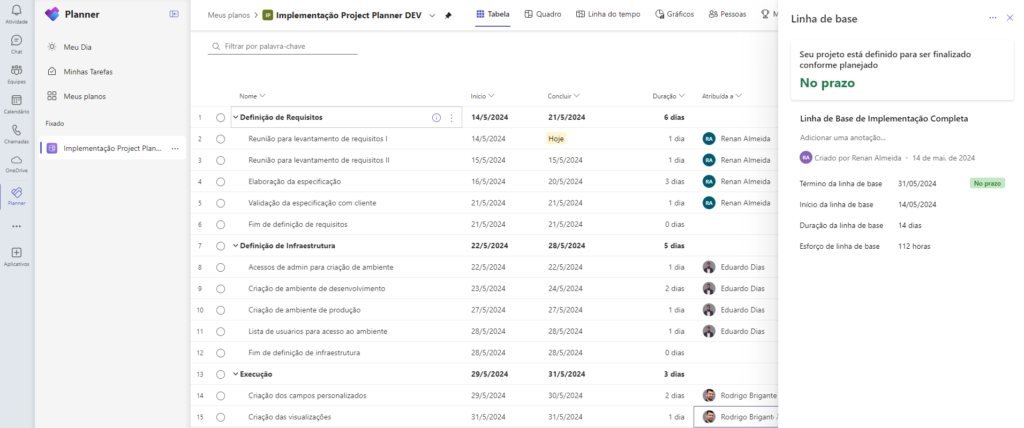
What a baseline is
It is a snapshot of the plan used as a reference. As the project moves forward, comparing it with the baseline shows whether it is on the expected path or needs adjustments.
Who can use it
Users with a Project Plan 3 license or higher, in the new Planner app in Teams.
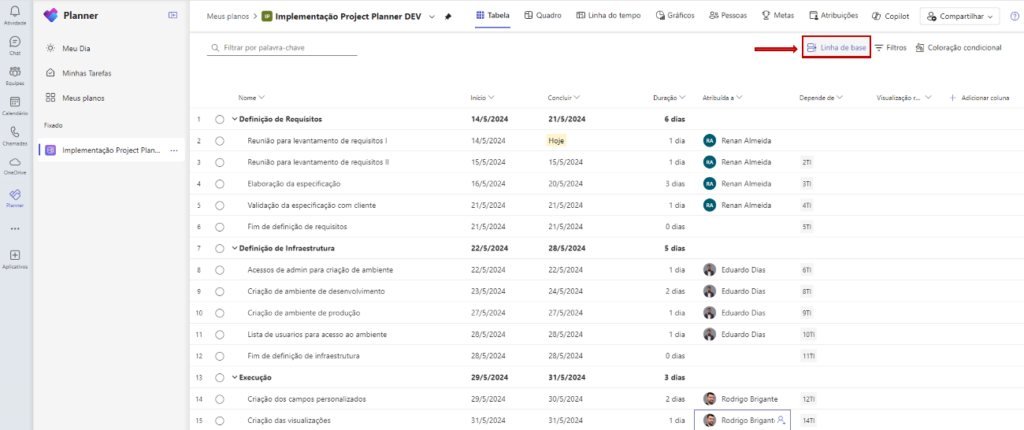
How to create a baseline
- In the Planner app, click the Baseline button.
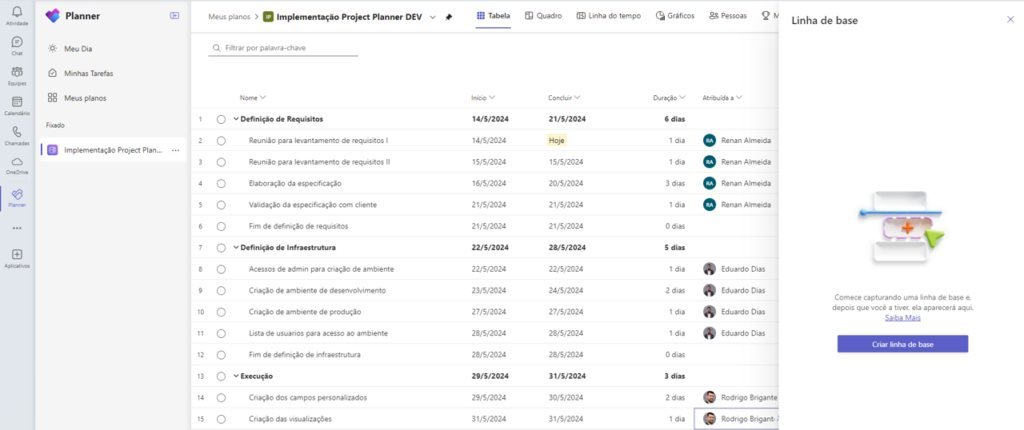
- Select Create baseline. The baseline is recorded and tracking can begin.
How to track progress
You can go back to the baseline at any time to assess the project's status and decide on the necessary adjustments.
Without a premium license
In the Planner app, the diamond icon starts a free 30-day trial of the advanced features, including baselines. Another option is to request the premium license.
What a baseline brings
- A clear reference for measuring progress.
- Data-based adjustments, comparing the current state with the plan.
- More control over deadlines and goals throughout the project.
See how ProjectSA does it: Consulting
Frequently asked questions
What is a baseline in Planner?
It is a record of the plan's state at a point in time, used as a reference to compare the project's progress.
Who can use baselines?
Users with a Project Plan 3 license or higher, in the new Planner app in Teams.
Can I try it without a premium license?
Yes. The diamond icon in the Planner app starts a free 30-day trial of the advanced features.