Project for the Web
How to set up Project for the Web notifications

Project for the Web sends notification emails to project team members. Whenever someone is assigned to a task or added to a project or roadmap, they receive an alert.
How to change notifications
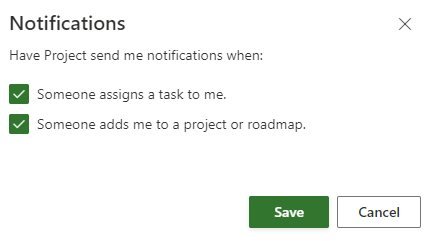
Notifications are on by default. To change them:
- Go to the Project home page at project.microsoft.com.
- Click the gear icon in the upper right corner and choose Notifications.
- Choose how you want to be notified.
See how ProjectSA does it: Consulting
Frequently asked questions
When does Project for the Web send a notification?
When someone is assigned to a task or added to a project or roadmap.
Are notifications on by default?
Yes.
Where do I turn notifications off?
In the gear icon on the Project home page, under Notifications.